

Beta Round Open
Be Part of the First Hour.
pipbeam PANEL turns MetaTrader 5 into a trade desk: you plan stop, entry and targets on the chart itself, and the panel manages the trade from there. It is closing in on release, and right now is when it is decided how polished it really becomes.
Windows and MetaTrader 5. Test on a demo account. Testers who see the program through keep pipbeam PANEL free for good.
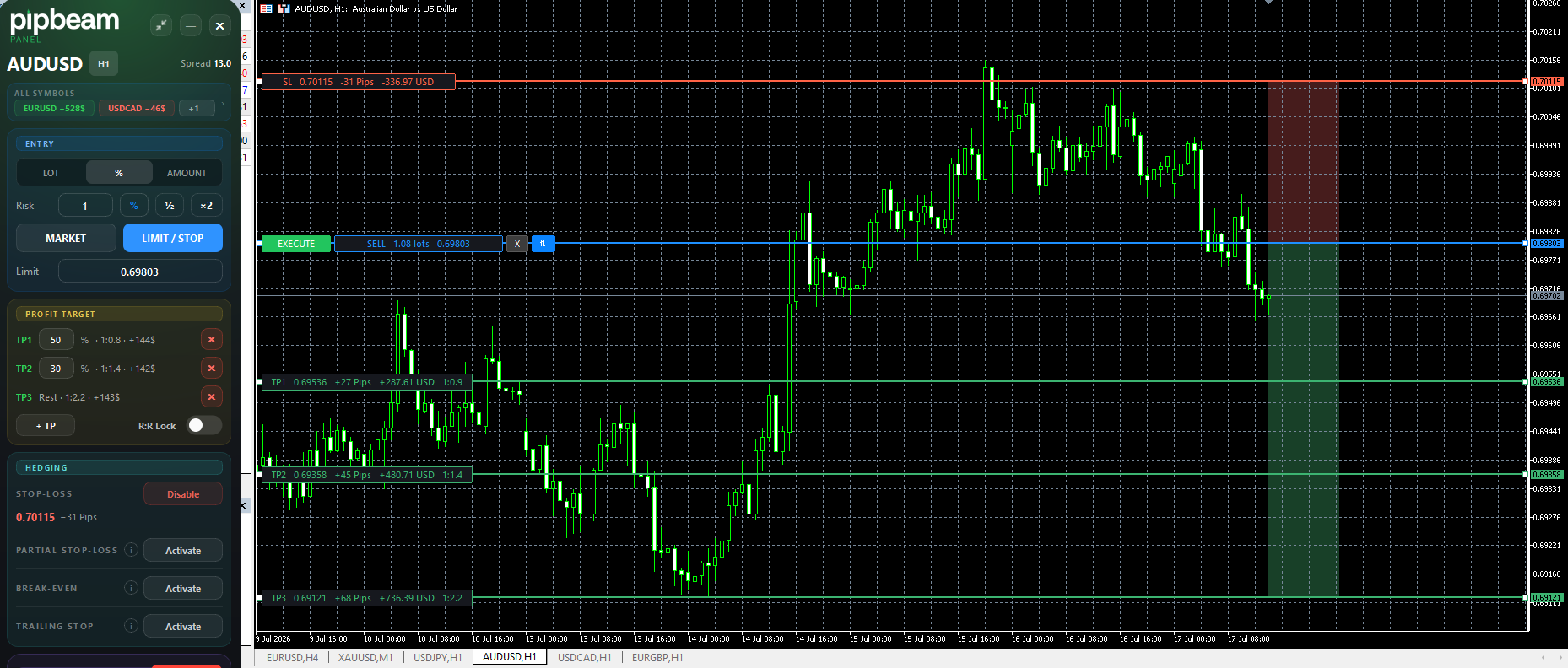
The panel beside a live chart. Every line carries its own label: price, distance in pips, money at risk, and the ratio each target pays.
The Whole Idea in One Minute.
What the panel takes off your hands, and why the beta round is worth your time.
What You Would Be Testing.
Not a prototype. The panel is feature-complete and in daily use. What the beta round is for is the last mile: other brokers, other symbols, other habits than ours.
- One Chart
- A single EA on a single chart manages every symbol in the terminal, including the charts you are not looking at.
- Broker-Exact
- Lot size, risk in account currency and the reward ratio are computed while you drag the line, from your broker's own contract specification.
- Managed for You
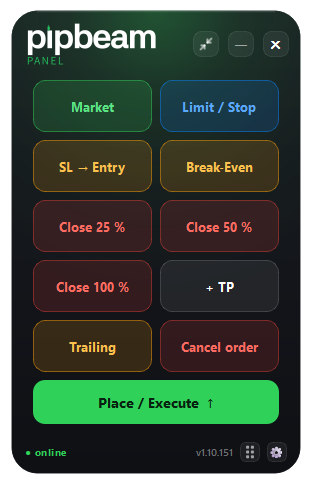
- Multiple take-profits, break-even, partial stop-loss and three trailing modes, armed once and carried out by the EA.
- Survives a Restart
- Guard state and trade management are written to disk. A crash is not a reset, and a closed panel does not stop the protection.
- Four Languages
- Panel and installer speak English, German, French and Spanish, taken from Windows and switchable in Settings. Trading terms stay English, so a line is called what MetaTrader calls it.
Your Daily‑Loss Limit, Enforced. Not Displayed.
Every prop‑firm dashboard shows you how close you are. pipbeam is what happens when you get there: at the limit the panel locks and new orders are refused. The lock is stored, so restarting the terminal does not hand you a fresh start.
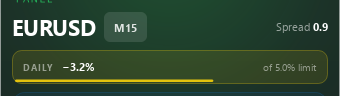
Inside the Limit
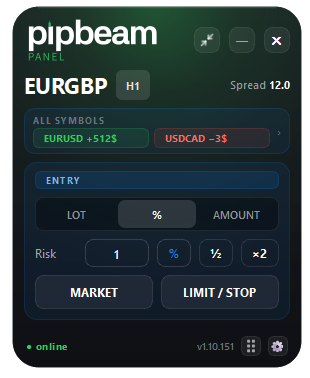
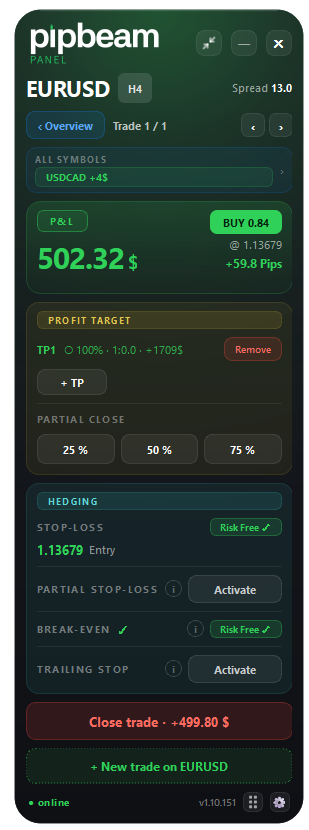
The day’s loss runs against the limit you set, in the header, where you cannot miss it.
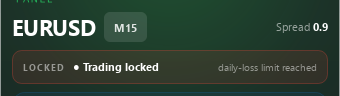
At the Limit
Trading locked. New orders are refused for the rest of the session, while management of what is already open keeps working.
The Beta Program.
We are looking for a small group of committed traders to put pipbeam PANEL through its paces under real conditions: different brokers, different setups, honest feedback.
What You Get
- Early access to every new feature, before it goes public.
- A direct line to the development team. Your feedback genuinely shapes the product.
- As a thank-you for actively contributing: pipbeam PANEL, free for good, once we reach market readiness together.
What We Hope for from You
- Put the panel to work in real trading, on a demo account.
- Report bugs, rough edges and wishes.
- A bit of patience. We are still deep in the polishing phase.
Your Invitation Code
8PXRRK5K
Register at
support.pipbeam.com.
There, choose “I have an invitation code” and enter the
code above.
Questions before you start? Write to
support@pipbeam.com.
Before You Sign Up.
What does the beta cost?
Nothing. And testers who see the program through keep pipbeam PANEL free for good. At release the panel is a one-time purchase of $99, with no subscription.
What do I need to take part?
Windows, MetaTrader 5 and Algo Trading enabled. Your broker does not matter. There is no macOS version and no MetaTrader 4 version, and neither is part of this round.
Do I have to test with real money?
No. We ask you to work on a demo account. The panel behaves identically on demo and live, so nothing you learn there is wasted.
Does pipbeam trade for me?
No. pipbeam makes no trading decisions and gives no signals. You decide when and how you enter; pipbeam executes and protects what you defined.
How much time does it take?
As much as your own trading takes. We are not asking for a test plan, we are asking you to use the panel the way you would use it anyway and tell us where it gets in your way.
When does it launch?
When the round says it is ready, and not on a date we would have to walk back. That is the honest answer, and it is also why the beta exists.
Spots in the first test round are limited. Recruiting runs through invitation only, and the code above is the one for this round.
Break It Before Your Funded Account Does.
If the panel has a rough edge on your broker, we would rather find it with you than have you find it alone.
Windows and MetaTrader 5 · demo account · invitation code 8PXRRK5K